








AI Integrator Code
Run your coding agents in one window
Use Claude Code, Codex, Cursor, and 4 other coding agents with your own accounts.
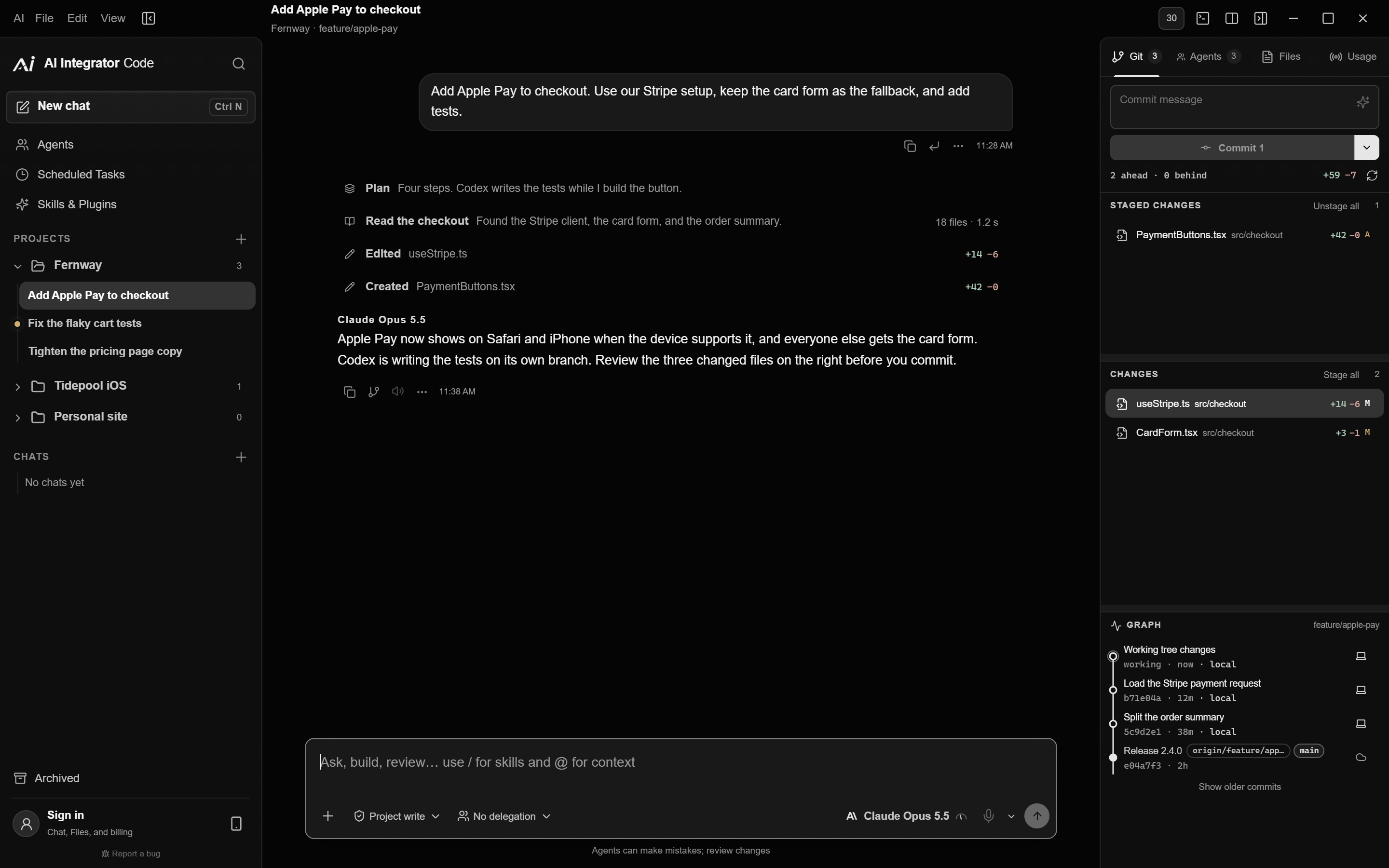
AI Integrator Code runs the coding agents you already use, with your own accounts.
Desktop
Claude Code, Codex, and Cursor in one window
Open a folder and choose Claude Code, Codex, Cursor, or another installed agent. Switch agents mid-task, and the next agent continues from the same plan and files.
Download free
Remote
Approve agent steps from another device
Pair your iPhone, another computer, or a browser to follow a run, answer an agent's questions, and queue the next message while it works.
About the iPhone app
Agents edit the files. Nothing is committed or pushed until you click Commit or Push.
Code features
- Supported toolsRun Codex, Claude Code, Cursor, and four more in one window.
- DelegationOne agent can plan a change and hand it to another.
- A browser for each taskEach task has its own browser, which closes with it.
- Plugins and skillsTurn on skills for Code, and add one to a message with /.
- Shared rulesWrite a rule once, and every coding tool follows it.
Supported coding tools
How it works
From a folder to a reviewed change
- 01
Open a folder
Open any project on your computer. Nothing is uploaded or copied.
- 02
Choose an agent
Choose Claude Code, Codex, Cursor, or another coding agent you are signed in to.
- 03
Follow the run
See plans, file edits, and commands as they happen, and approve steps that need your permission.
- 04
Review, then commit
Read every change line by line. Nothing is committed or pushed until you click Commit or Push.
Compared with separate tools
Your subscriptions
Use the plans you already pay for
Claude Code, Codex, and Cursor use their own logins and plans. AI Integrator Code itself is free.
Questions
Yes. It comes with every plan, including Free, and it works without an account.
Yes. Install and sign in to each coding agent you want to use, and AI Integrator runs it in the desktop app.
No. Your repositories and Code chats stay on your computer. Each coding agent connects to its own provider, as it would without AI Integrator.
No. Commit and Push are separate buttons, and nothing is committed or pushed until you click one.
Codex, Claude Code, Cursor, Antigravity, OpenCode, Grok, and Kimi Code.