





Products
Chat, Code, and Remote
Chat with 101 models, including Claude, GPT, and Gemini. Run Claude Code, Codex, and Cursor in one window. Use your computer from your iPhone.
What AI Integrator does
Web, iPhone, Mac, and Windows
Chat with 101 models
Ask Claude, GPT, Gemini, Grok, and 97 more in the same chat. Switch models mid-conversation, and the new model reads everything before it.
- Agents with their own instructions, memory, and routines
- Images from GPT Image, Nano Banana, Flux, and more
- Charts drawn from Treasury, SEC EDGAR, FRED, and BLS data
Mac and Windows
Run coding agents in one window
Open a folder and run Claude Code, Codex, Cursor, and 4 more. Hand a task from one agent to another with the plan and files attached.
- Each agent keeps its own login and plan
- Review every change before you commit
- Each task has its own browser
iPhone, Mac, Windows, and the webBeta
Use your computer from another device
Pair your iPhone, another computer, or a browser with your Mac or PC. Run its coding agents, commit their changes, or use any app or whole screen on it.
- Start chats, approve steps, and queue the next message
- Stage, commit, and push from another computer or a browser
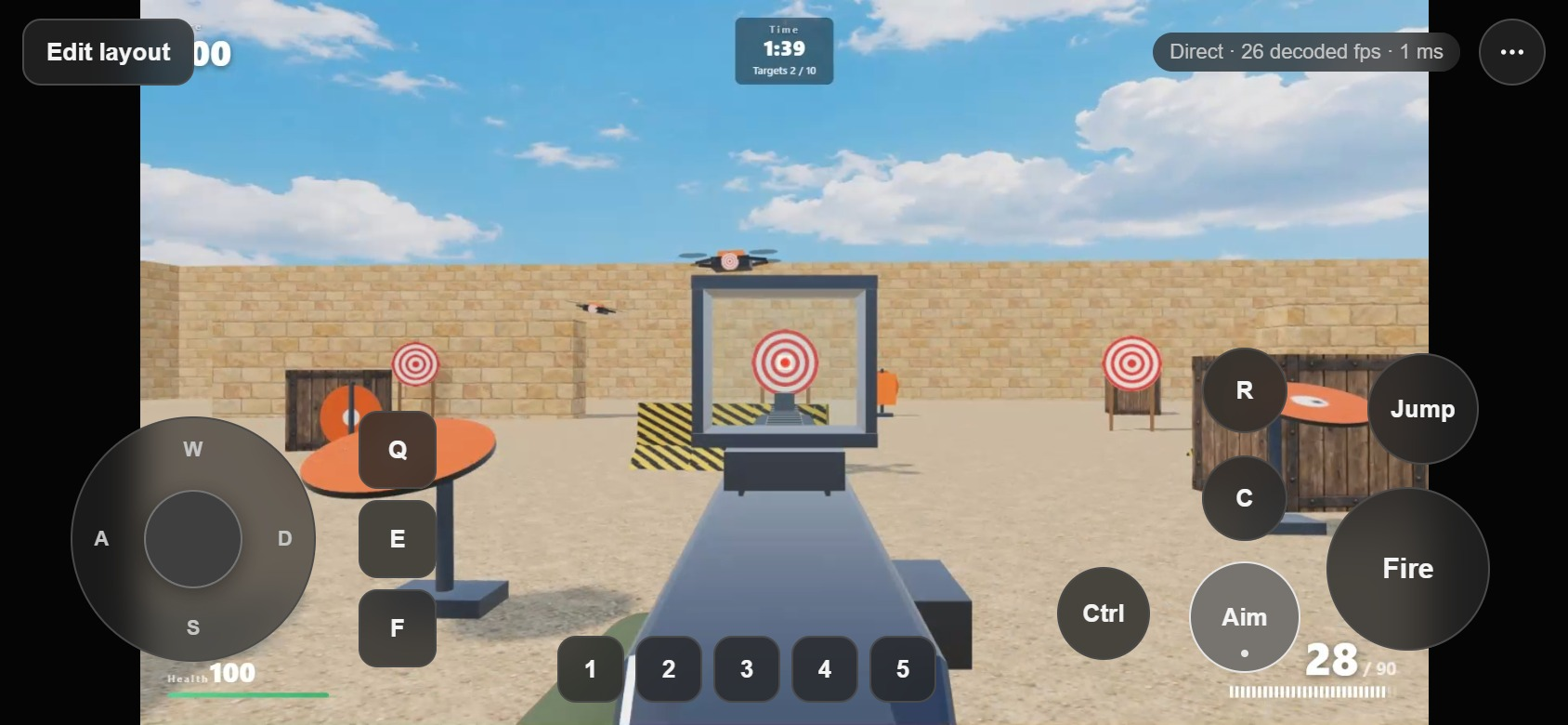
- Touch, trackpad, and gamepad modes on iPhone

Chat
Web, iPhone, Mac, and Windows
Chat with 101 models
Ask Claude, GPT, Gemini, Grok, and 97 more in the same chat. Switch models mid-conversation, and the new model reads everything before it.
- Agents with their own instructions, memory, and routines
- Images from GPT Image, Nano Banana, Flux, and more
- Charts drawn from Treasury, SEC EDGAR, FRED, and BLS data
Code
Mac and Windows
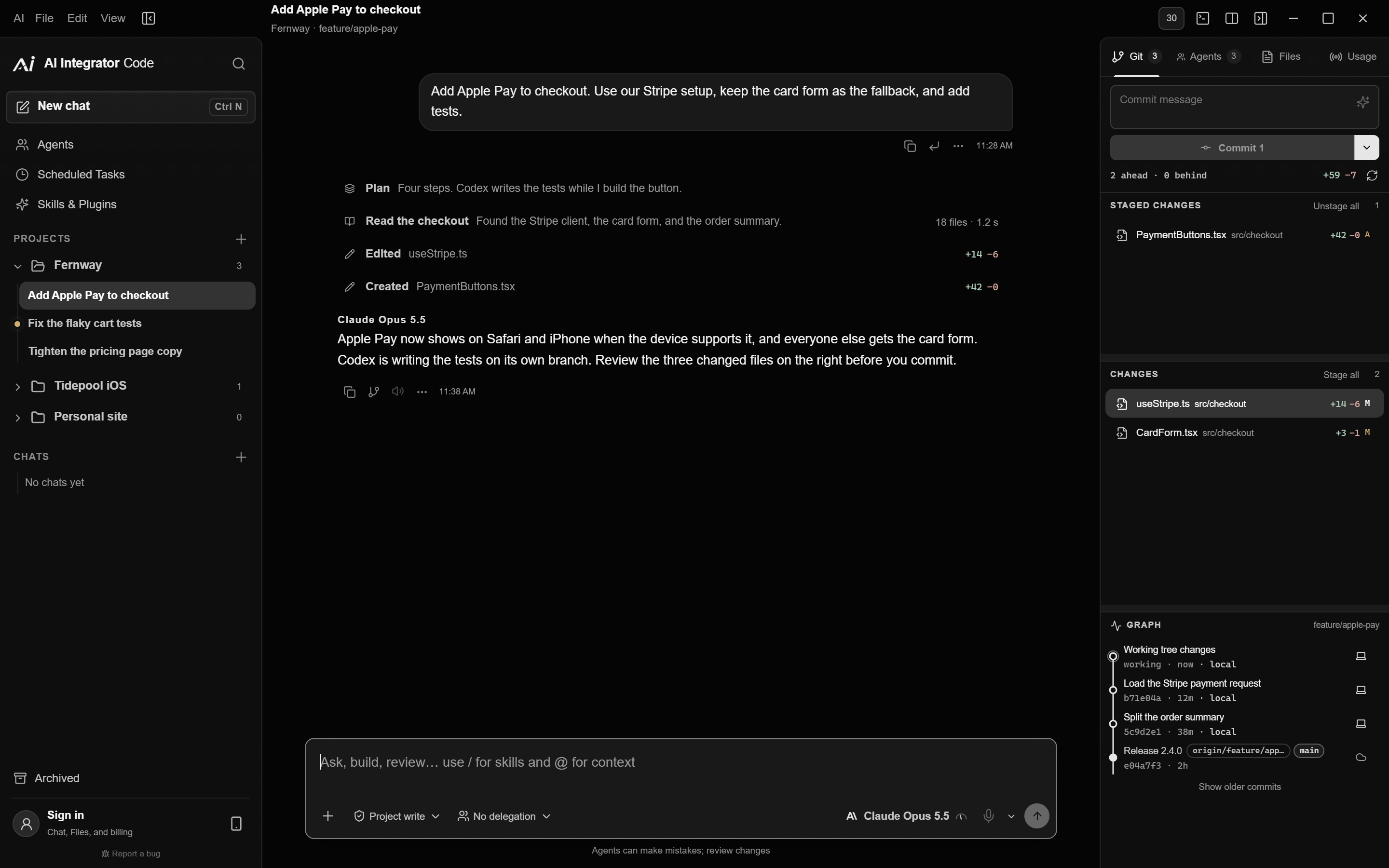
Run coding agents in one window
Open a folder and run Claude Code, Codex, Cursor, and 4 more. Hand a task from one agent to another with the plan and files attached.
- Each agent keeps its own login and plan
- Review every change before you commit
- Each task has its own browser
Remote
iPhone, Mac, Windows, and the webBeta
Use your computer from another device
Pair your iPhone, another computer, or a browser with your Mac or PC. Run its coding agents, commit their changes, or use any app or whole screen on it.
- Start chats, approve steps, and queue the next message
- Stage, commit, and push from another computer or a browser
- Touch, trackpad, and gamepad modes on iPhone
Remote Beta
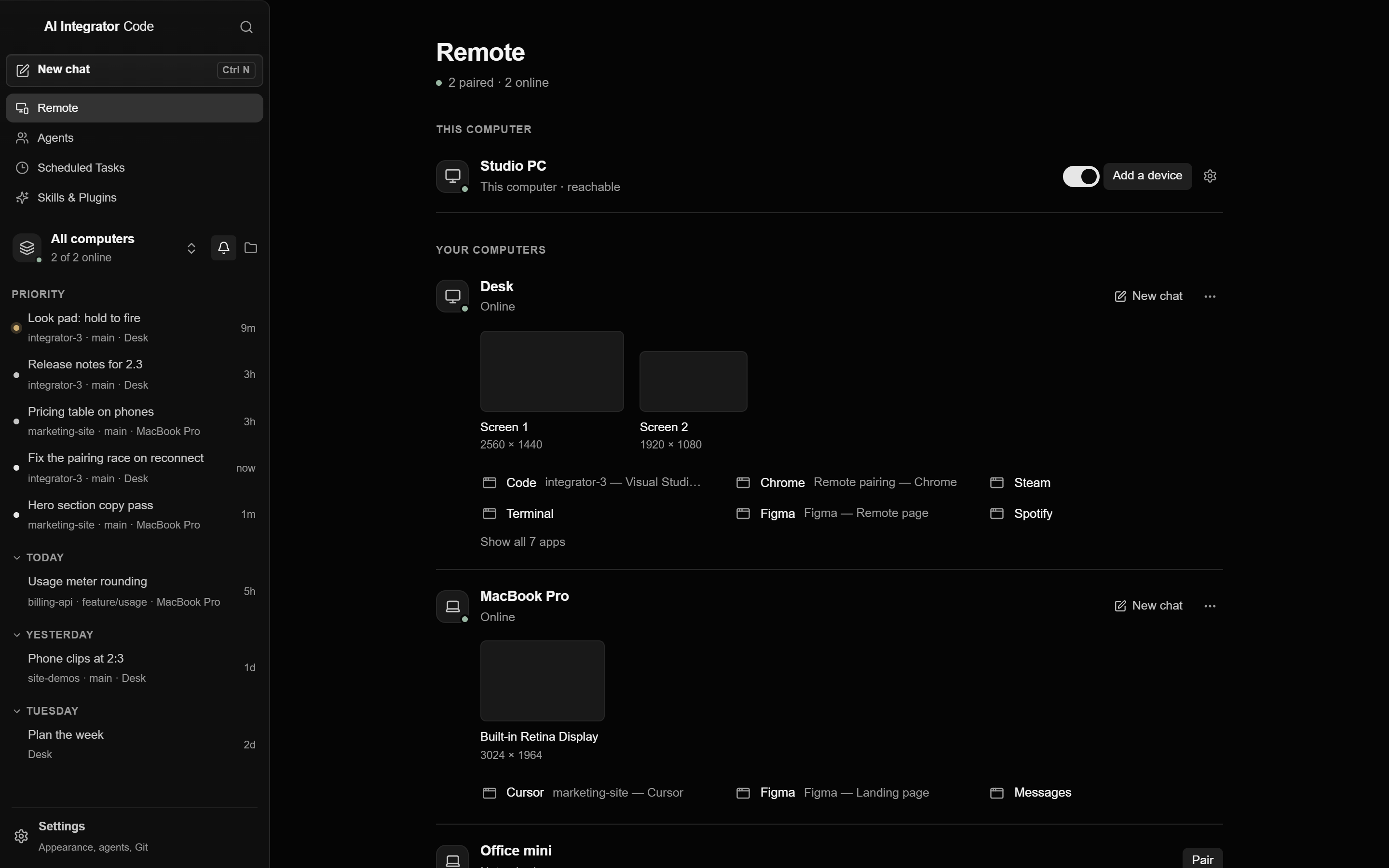
Use any app on your computer from your iPhone
Pair your iPhone with AI Integrator on your Mac or PC. Then tap, hold, pinch, and type in any app that is open on the computer.
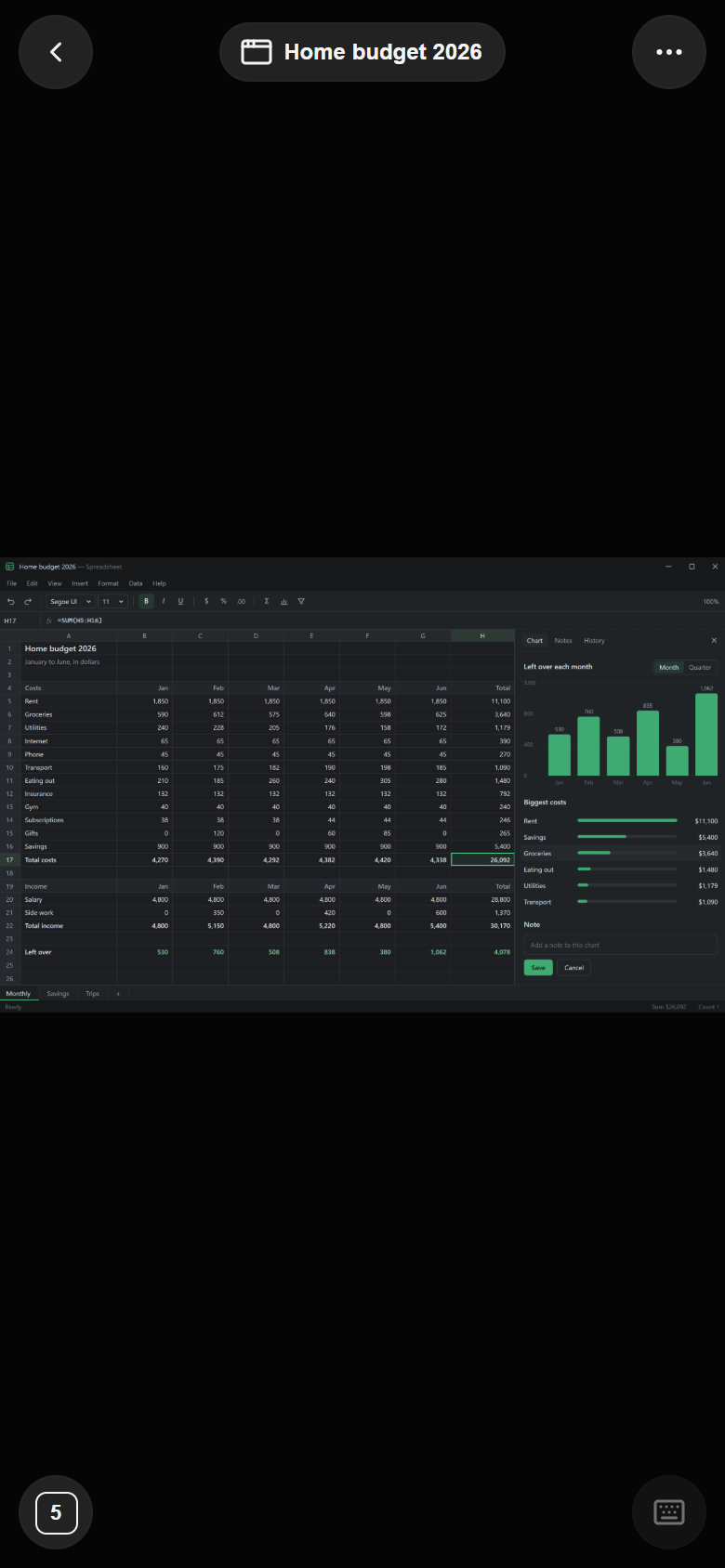
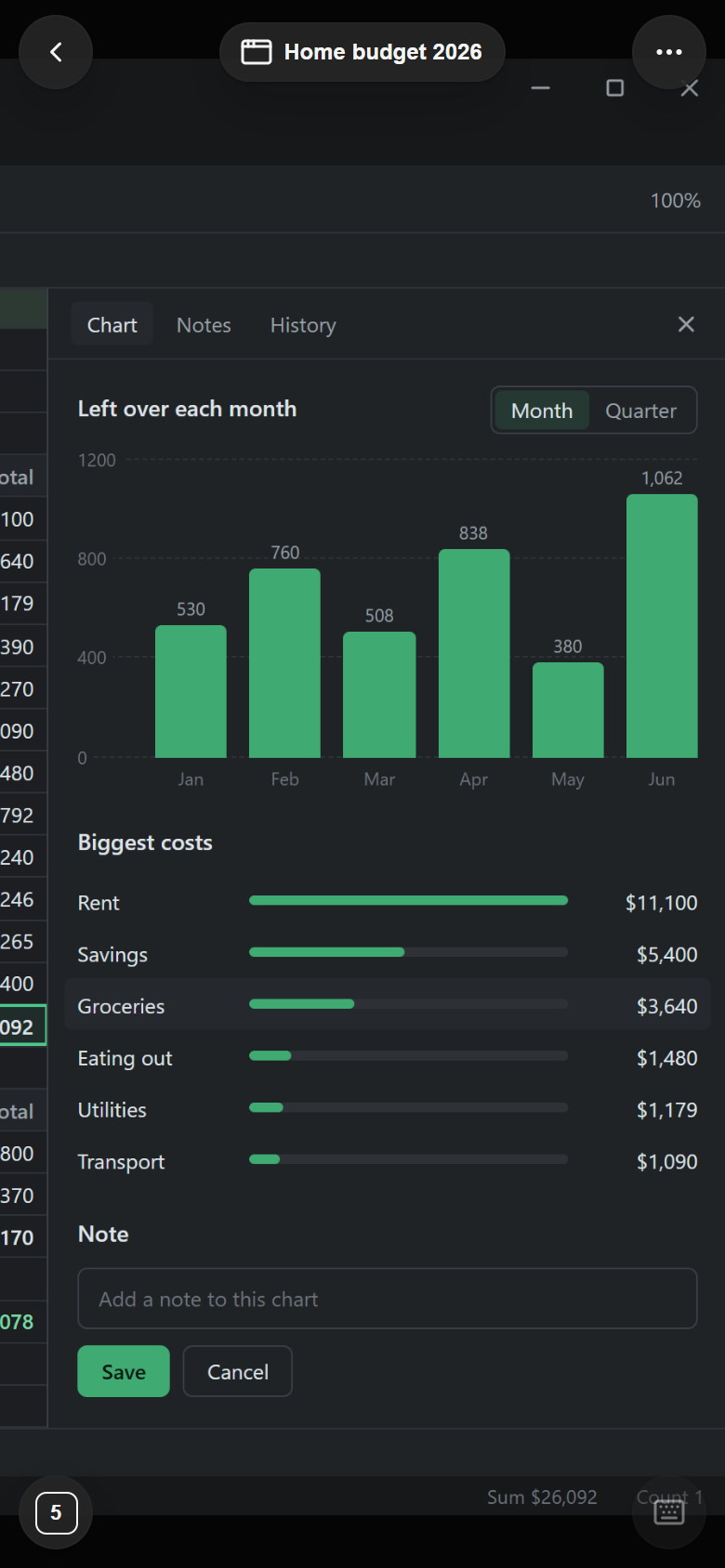
- Direct connectionYour devices connect to the computer over the same Wi-Fi, or through Tailscale or ZeroTier. A browser connects through Tailscale.
- You approve each deviceThe computer asks before a new device connects. Viewing and control of apps and screens stay off until you turn them on.
- Stop buttonWhile another device has a whole screen open, the computer shows a bar that names it, with a Stop button.
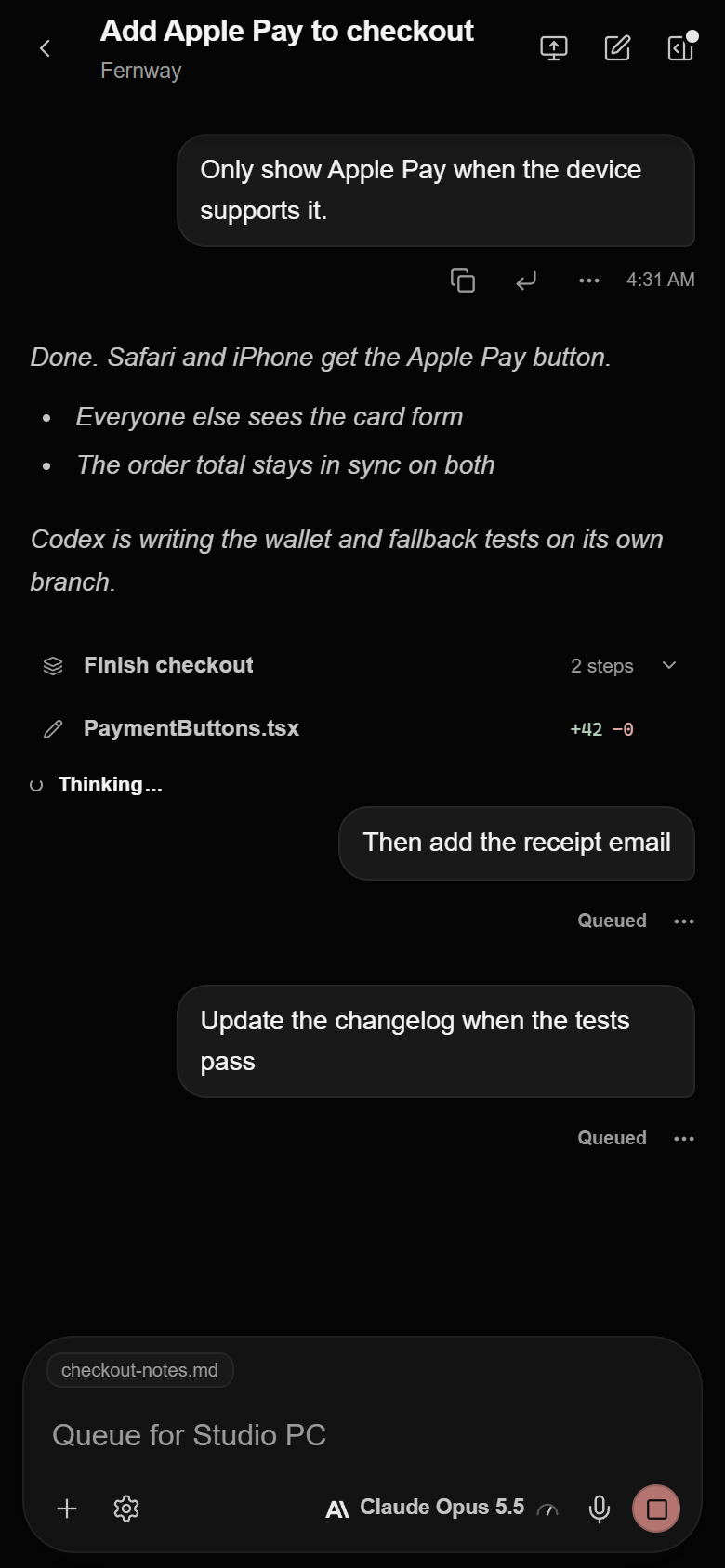
- Code on iPhoneSee every Code chat on each paired computer, start new ones, approve steps, and queue the next message.
Coming soon
A voice agent for your computer
We are building a voice agent you can talk to in real time. It will carry out tasks on your computer while you follow along on your iPhone.
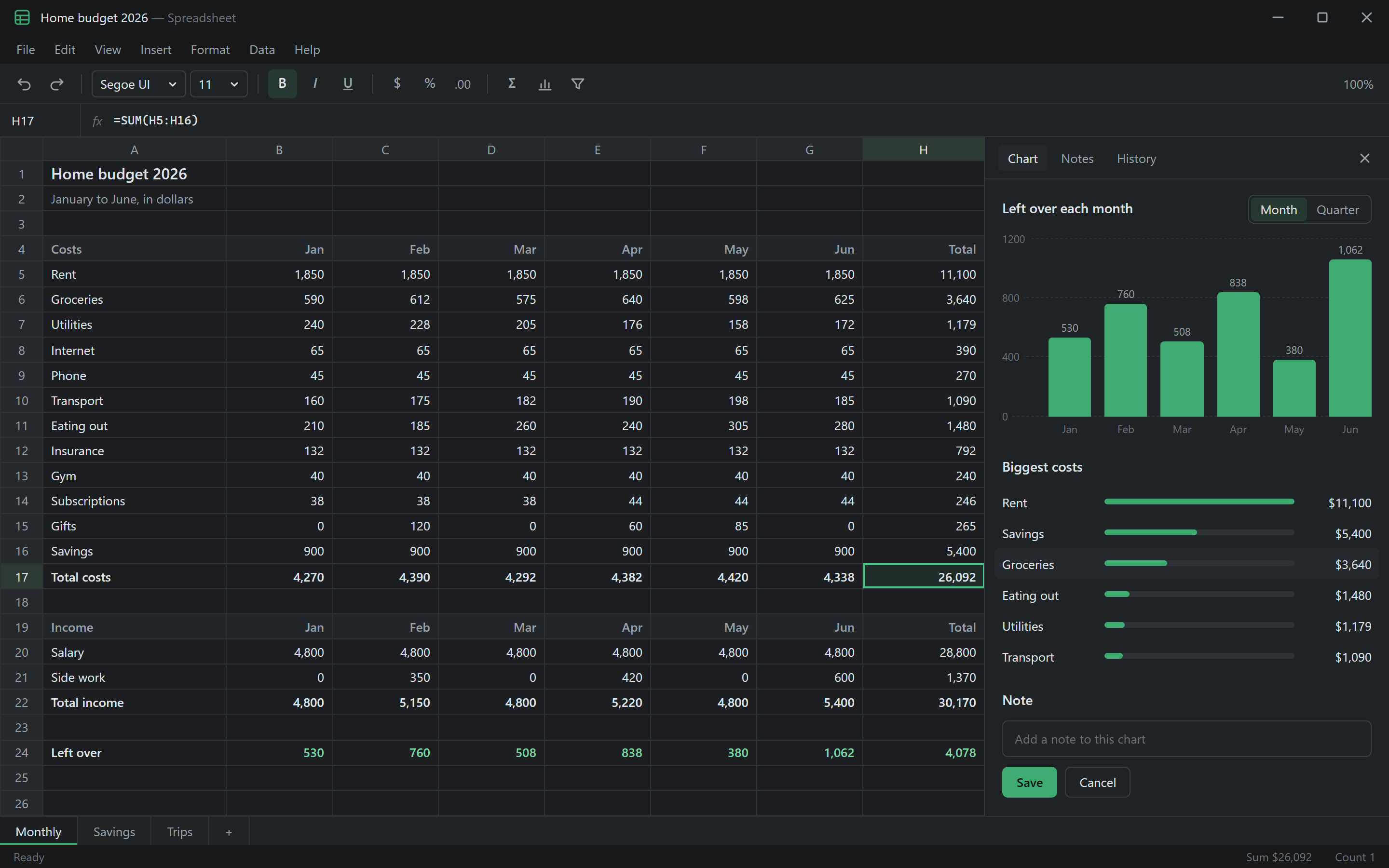
“Open last month's budget and add the new totals.”
Skills & Plugins
Connect your apps and public data
The catalog has 61 plugins. Turn each one on for Chat, Code, or both.
Charts
Each chart names its source and says whether the data is live. Change the range, index to 100, or export to PNG or CSV.
How charts work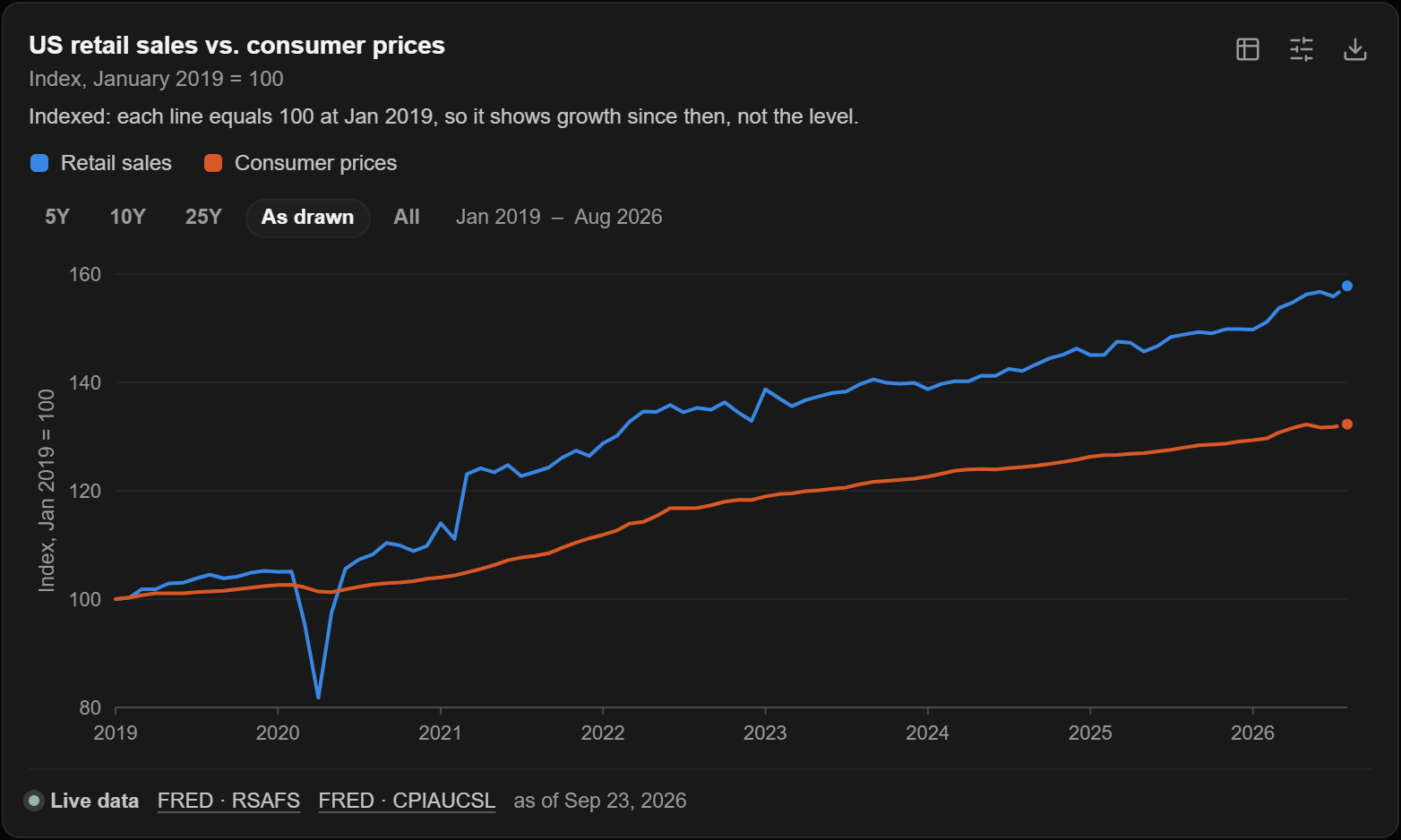
Your apps
Connect GitHub, Notion, Linear, Google Drive, Figma, Stripe, and more, then use them in any chat or choose which ones an Agent can use.


AI Integrator Government
Chat pulls figures from official federal sources, and the keys are set up for you.
- FRED
- BLS
- Census
- EIA
- SEC EDGAR
- Congress
- Federal Register
- Treasury
- GovInfo
- FEC
- USAspending
- BEA
- CFTC
- FDIC
- World Bank
AI Integrator Finance
Adds filings, rates, energy, futures positioning, and bank data. For prices, add Stooq, Yahoo Finance, or Alpha Vantage.
- FRED
- BLS
- EIA
- SEC EDGAR
- Treasury
- BEA
- CFTC
- FDIC
- World Bank
Apps
Desktop, iPhone, and web
Mac and Windows
Desktop
Includes Code, Chat, Agents, and Images. Your iPhone, other computers, and browsers can use it through Remote.
Public beta
iPhone
Includes Chat, Agents, and Images, plus Remote for your Mac or PC.

Any browser
Web
Includes Chat, Agents, and Images in any current browser, plus Remote for your Mac or PC.
Compare
What each app does
| Feature | Desktop | iPhone | Web |
|---|---|---|---|
| Chat with 101 models | Yes | Yes | Yes |
| Agents and routines | Yes | Yes | Yes |
| Images | Yes | Yes | Yes |
| Plugins and charts | Yes | Yes | Yes |
| Dictation and read-aloud | Yes | Yes | Yes |
| Run coding agents | Yes | On a paired computer | On a paired computer |
| Review changes | Commit and push | Read the diff | Commit and push |
| Control your computer | Your other computers | Beta | Over Tailscale |
| Use without an account | Code only | No | No |
Pricing
Start free
The desktop app is free, and Code comes with every plan. Chat has a free plan, and Pro adds every model for $20 a month.