






Mac and Windows
AI Integrator for Mac and Windows
The desktop app includes Code, Chat, Agents, and Images. Pair your iPhone, another computer, or a browser to run agents and use the computer from there.
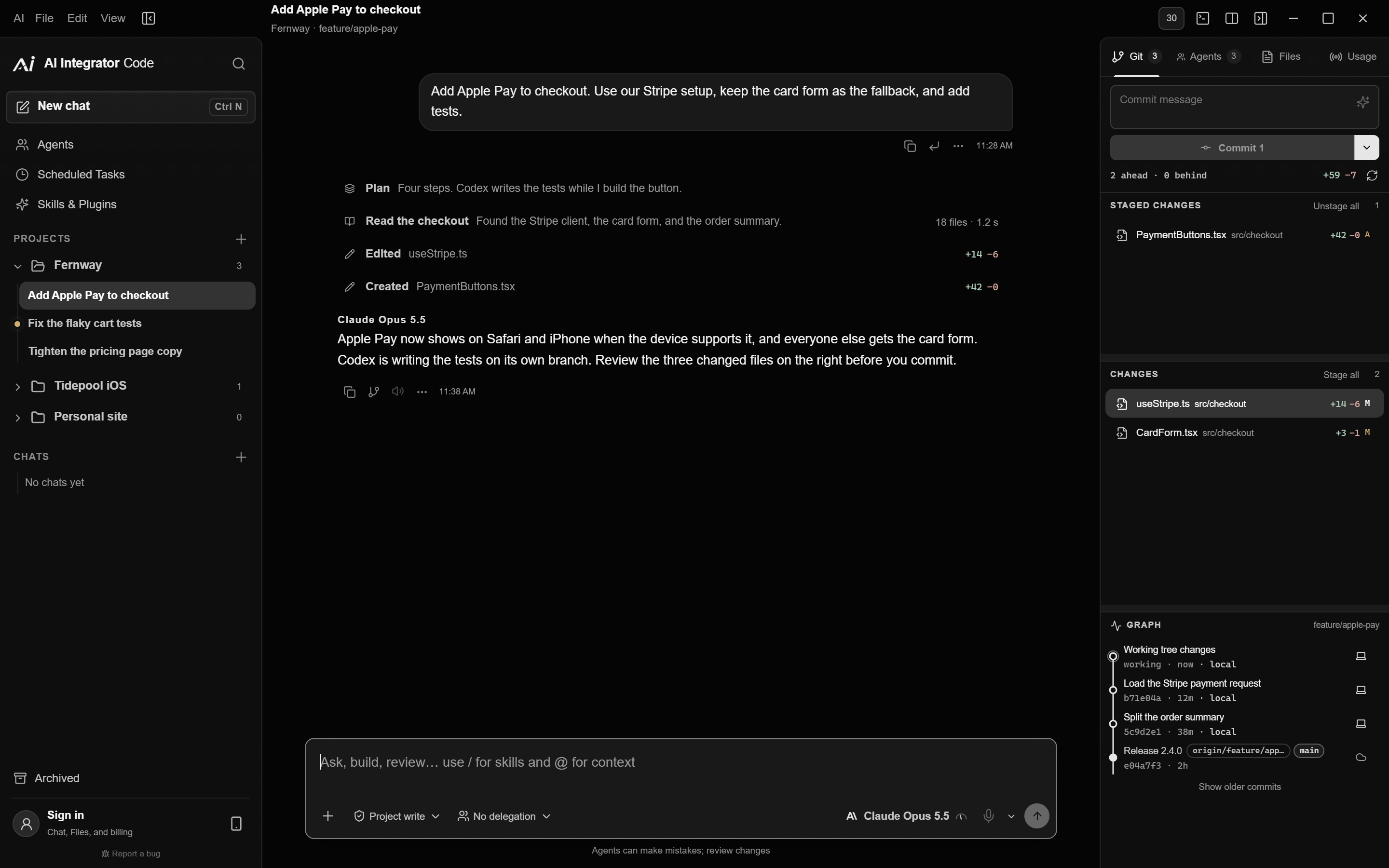
The desktop app puts Code and Chat in one window on your Mac or PC.
Code
Coding agents on your computer
Run Claude Code, Codex, Cursor, and 4 other coding agents, and review every change before you commit.
Explore Code
Chat
The same Chat as the web
Use the same chats, Agents, and images as on the web and iPhone, in the same app as Code.
Explore Chat
Remote
Use your other computers from this one
Choose Remote in the sidebar to run Code on a paired computer, commit and push its changes, and open its apps and screens. Pairing takes a six-character code.
PC to PCRemote in a browser
Open a whole screen from a browser
Pair a browser on your tailnet and open a screen or a single app, with sound. Capture the keyboard for shortcuts, and hold Esc for one second to release it.
Browser to PCRemote on iPhone
Use the computer from your iPhone
Pair AI Integrator for iPhone to follow a run, approve its steps, and use any app by touch, as a trackpad, or as a gamepad.
iPhone to PC
Themes
Choose from 28 themes
The desktop app also has settings for fonts, spacing, and motion.

Details
- Mac
- Apple silicon and Intel, in one disk image.
- Windows
- Windows 10 and 11. Installer, MSI package, or standalone app.
- Updates
- The app checks every six hours. Install an update with one click.
- Coding agents
- Update installed coding agents with the app, or keep their current versions.
- Account
- Code works without one. Sign in for Chat, Agents, and Images.
- Price
- Free. Code comes with every plan.
Questions
Yes. The app is free, and Code comes with every plan, including Free.
The desktop app adds Code and Remote Access, so your iPhone, other computers, and browsers can use it. Chat, Agents, and Images are the same everywhere.
Yes. AI Integrator must be open on the computer for your other devices to reach it.
Yes. Pair them in Settings → Remote Access, then choose Remote in the other computer's sidebar to run Code and open apps and screens.
Yes. Chat, Agents, and Images are on your account. Code projects and chats stay on the computer where you created them.
Download the desktop app
The desktop app is free and runs on Mac and Windows.