








Remote Access · PC to PC
Use one computer from another
Pair your laptop with your desktop in the AI Integrator app. Its screen and apps open in Remote, and its Code chats sit in your sidebar with Git.
Screens and apps
Every screen and open app, drawn to scale
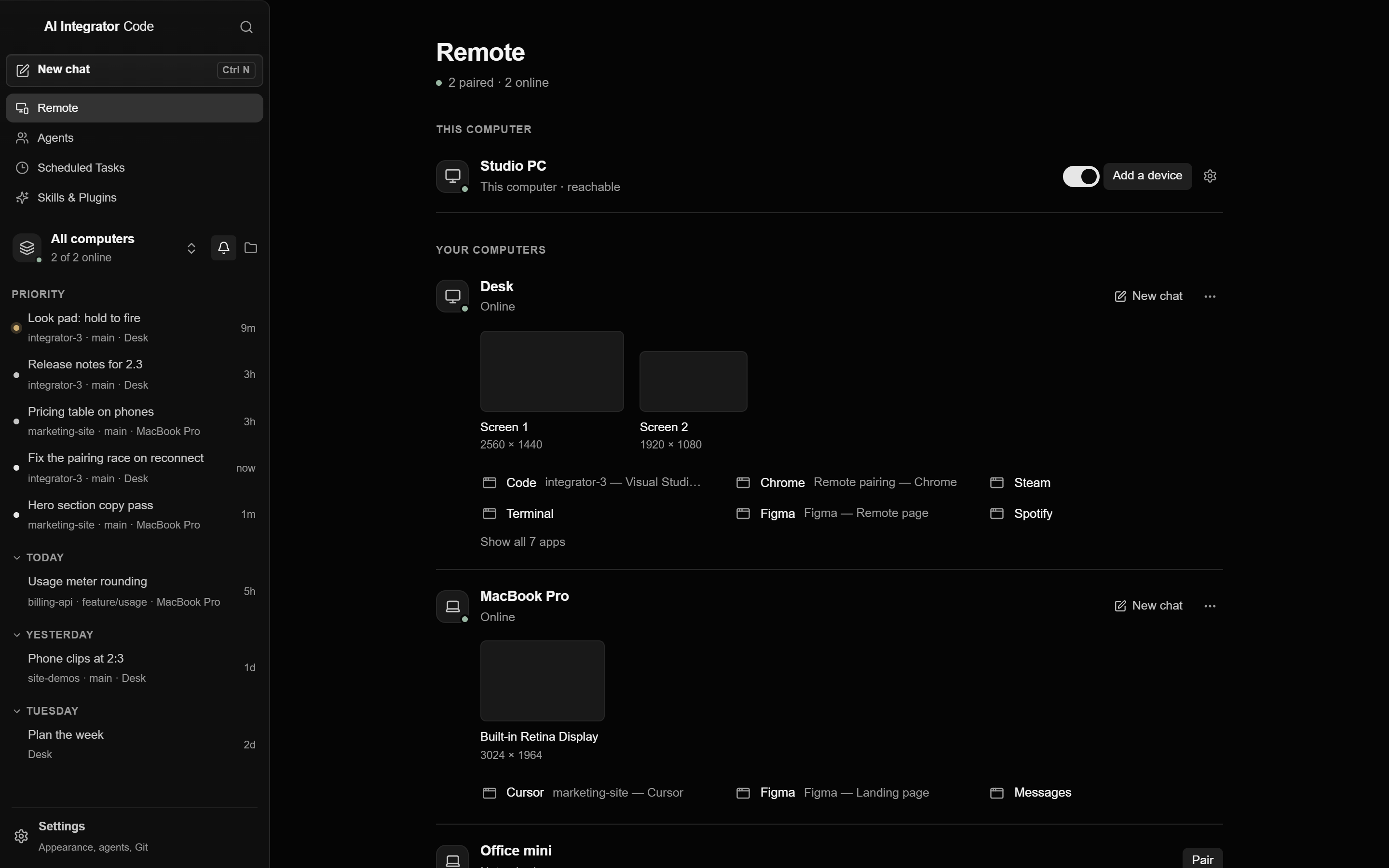
Remote lists your computers with their screens and the apps that are open. Choose one and it opens in the app, with your own keyboard and mouse.
Code
Run and commit Code on the other computer
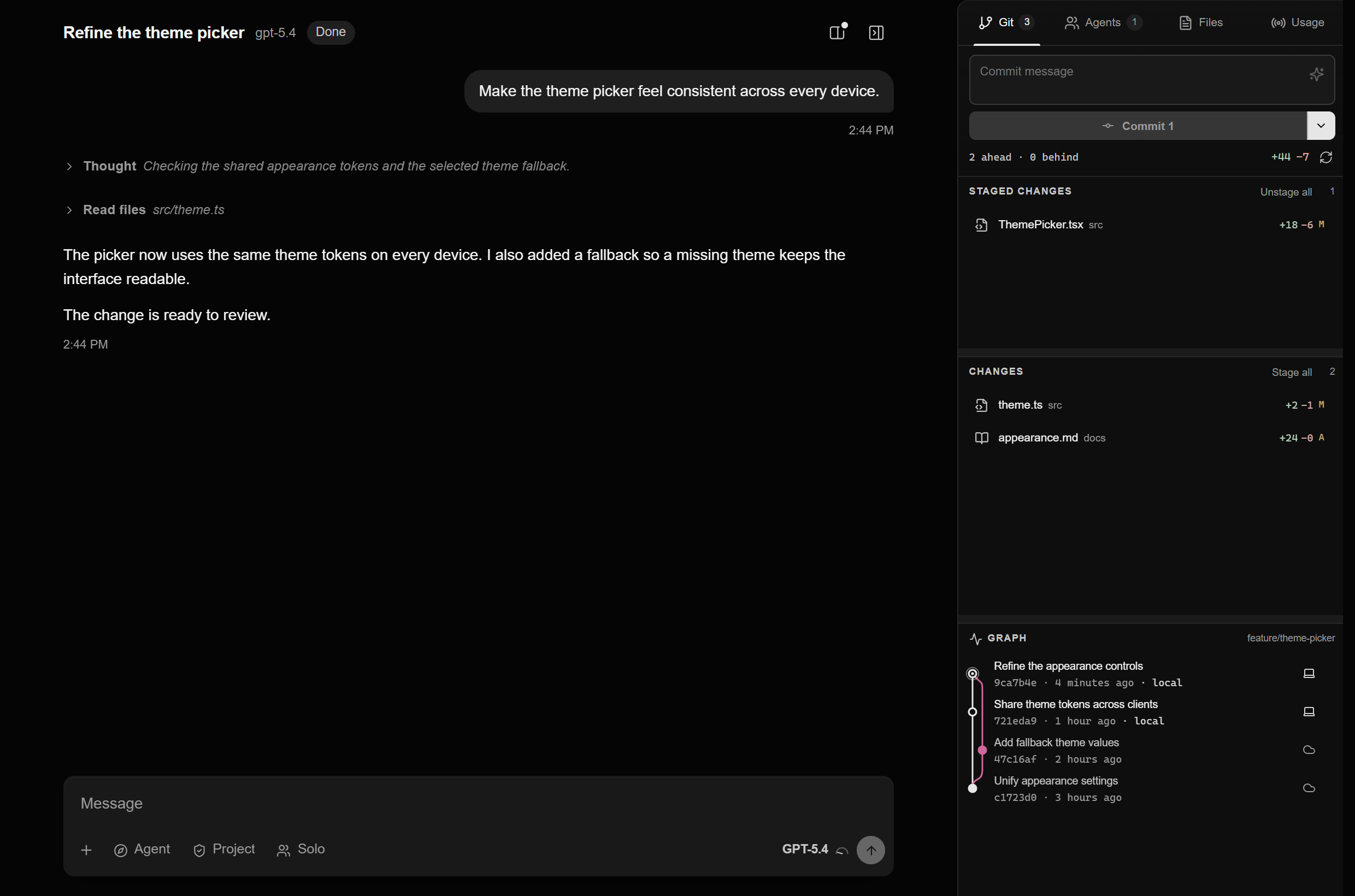
Open a chat on your desktop from your laptop, send the next message, and answer its approvals. The Git panel stages, commits, and pushes on the desktop, with a review before every push.
Pair
Pair once with a six-character code
On the desktop
Open Settings → Remote Access and choose Add a device. A new code shows every 30 seconds.
On the laptop
Choose Remote in the sidebar, then Pair next to the desktop, and type the code.
Allow
Back on the desktop, choose what the laptop can do and choose Allow. The laptop reconnects on its own from then on.
Questions
No. With Pair to any device in the network on, a device you allow on one computer can reach your other computers that have it on.
Yes, with the Git switch on. Stage files, write a message, commit, and review the push before it goes out.
No. The project stays on the desktop. The laptop shows its chats and files and sends your actions back.
Remote Access
Other ways in
 GamepadPlay your PC's games from your phone with a touch stick and buttons.
 iPhone to PCUse your computer by touch and follow every Code chat on it.
 Browser to PCOpen your computer from any browser on your tailnet.
 Mac to WindowsUse your Windows PC on a Mac, including its games.
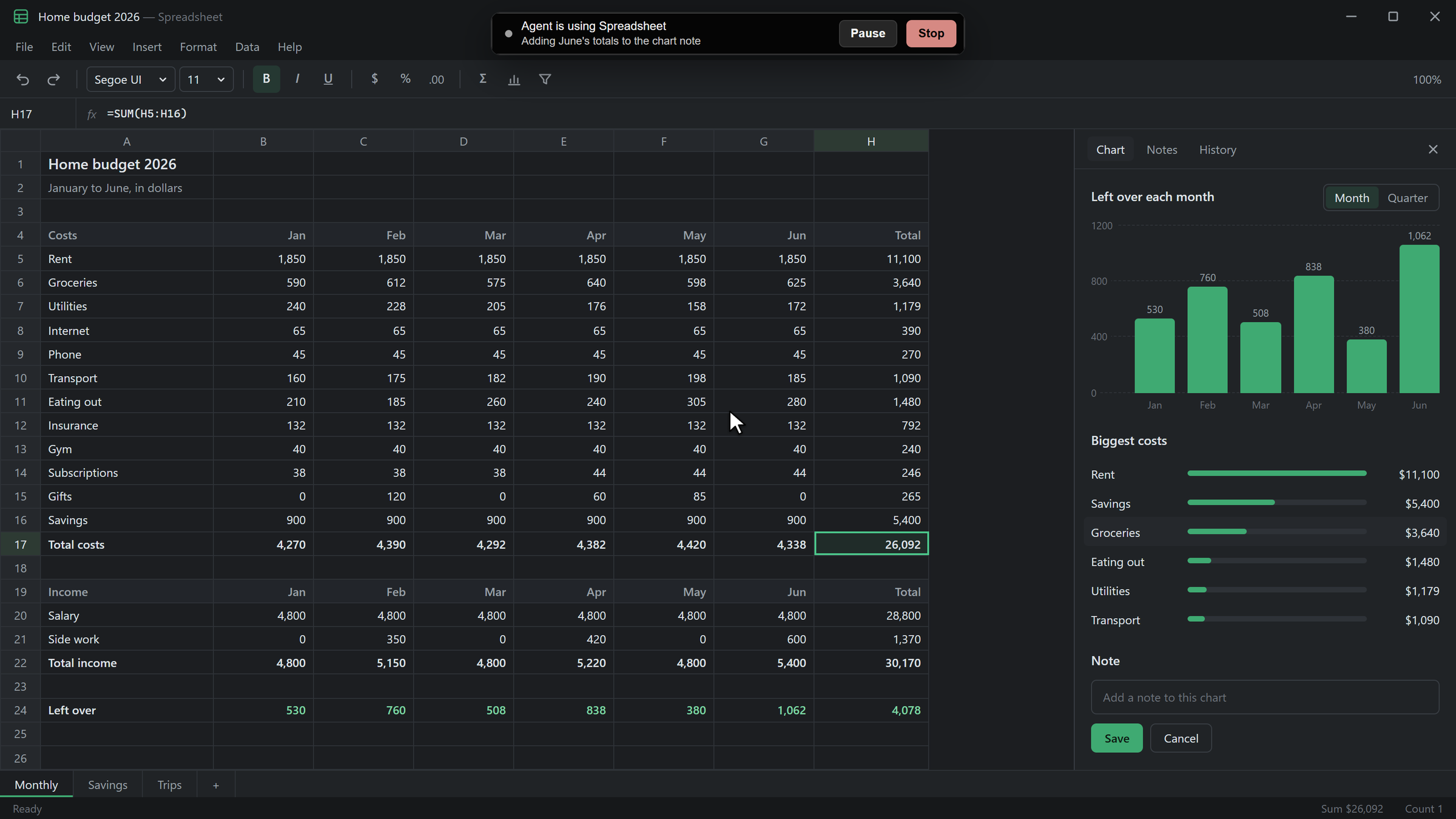 Agents on your PCLet agents use the apps on your PC after you allow each one.