








Remote Access · Mac to Windows
Your Windows PC on your Mac
The AI Integrator app on a Mac opens your Windows PC full screen. Use its apps with your Mac's keyboard and trackpad, and turn on Game mode for games.
Keys
Your Mac keyboard on Windows
Keys go to Windows by position, so each key does what the key in the same place does on a PC keyboard.
- Control
- Ctrl. Use Control+C and Control+V to copy and paste on the PC.
- Option
- Alt
- Command
- The Windows key, on a whole screen. A single app window doesn't take it.
- Esc, held for a second
- Gives the keyboard and pointer back to your Mac.
Games
Game mode for PC games
- Raw mouse
- Game mode locks the pointer to the picture and sends raw mouse movement, the way a game expects it.
- Sound
- The PC's sound plays on your Mac. Turn it off in the ··· menu.
- Frame rate
- Choose 30, 60, or 120 frames per second, and Sharp or Smooth for the picture.
Remote
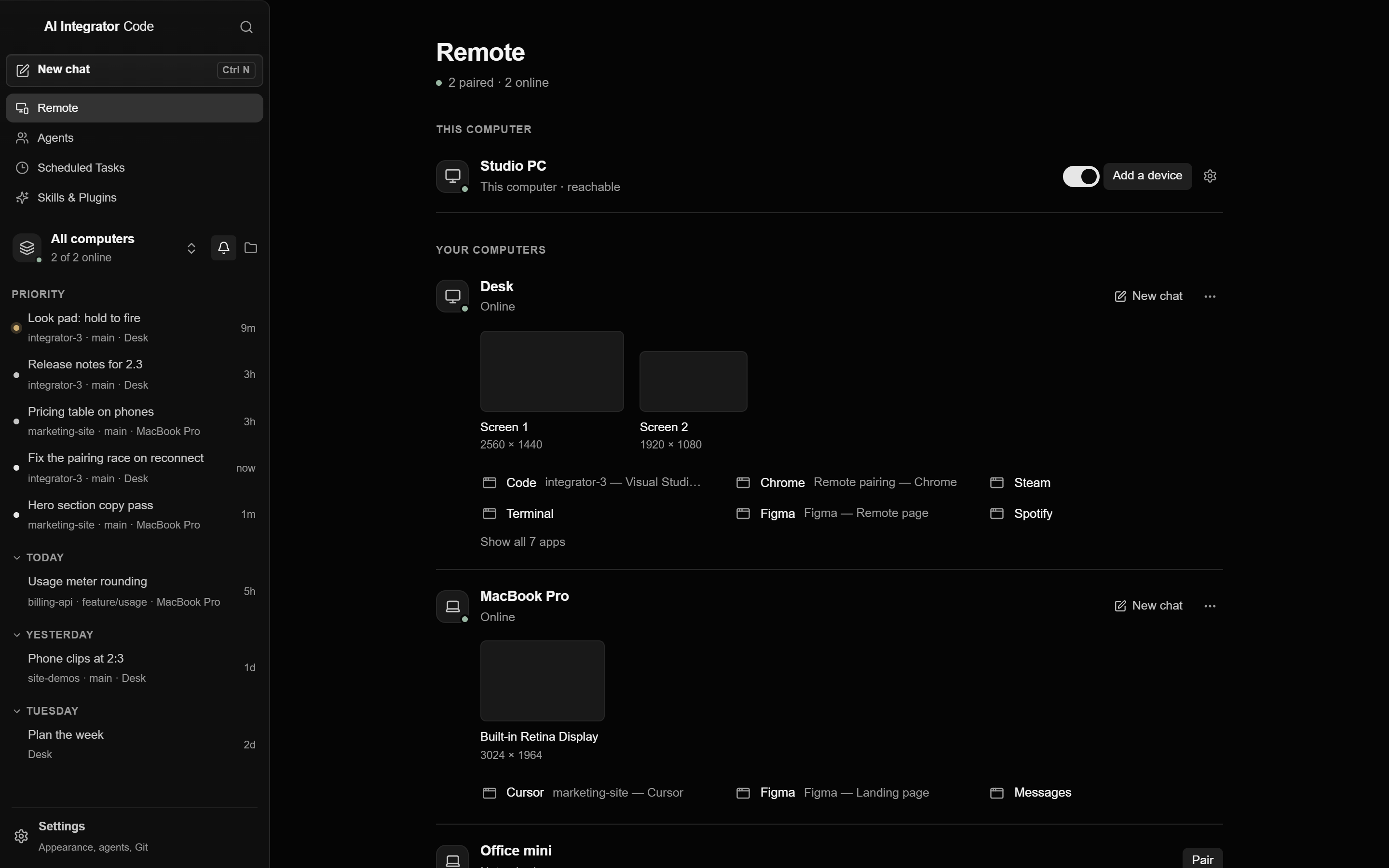
Your PC sits next to your Mac's own work
Remote is in the app's sidebar. Your PC's screens and apps open as tabs, and its Code chats appear in the same list as the Mac's.
Questions
On a whole screen, Command acts as the Windows key. For copy and paste, press Control, as you would on the PC.
Yes. Turn on Screen Recording and Accessibility in Remote Access → This Mac on the Mac first.
Yes. Sound is on by default. Turn it off in the viewer's menu.
Remote Access
Other ways in
 GamepadPlay your PC's games from your phone with a touch stick and buttons.
 iPhone to PCUse your computer by touch and follow every Code chat on it.
 PC to PCUse your desktop's screen and Code chats from your laptop.
 Browser to PCOpen your computer from any browser on your tailnet.
 Agents on your PCLet agents use the apps on your PC after you allow each one.