AI Integrator Chat now runs in a browser and on your iPhone, as well as in the desktop app. It is one account, so a conversation you start on your laptop is there when you pick up your phone, and the model you chose for it comes along.
It is also the part of AI Integrator that does not need a coding setup at all. If you have never opened a repository in your life, this is the page for you.
Choose the model for every message
Most chat apps tie a conversation to one model. Here the model is a choice you make each time you send a message. Ask one model for a draft, switch to another and ask what it would change, then switch back. Each model reads the whole conversation so far, so you never paste anything, and a reply is labelled with the model that wrote it.
The menu has more than 80 models, from OpenAI, Anthropic, Google, Meta, xAI, DeepSeek, Mistral, Qwen, NVIDIA, Moonshot and a long list of smaller labs. Each row shows whether the model will use a little, a normal amount or a lot of your allowance, and, for models that think, how hard you want it to think. The free plan includes the standard models, and the most expensive ones need Pro or Max. A locked model says Upgrade to Pro, not nothing.
Private by default
Two switches are on from the start: Zero data retention only and No training only. With both on, Chat only offers routes where the provider says it keeps nothing and does not train on your messages. A model that does not have such a route is still in the list, but locked, with the reason beside it, such as No ZDR route or May train. You can switch either filter off, and then you decide.
Search, with sources
Every turn has a web search available. OpenAI, Anthropic and Google models use their own built-in search, and so do some xAI models. Every other model uses Perplexity. A model may search up to twice for an answer, and what it found shows up as source buttons under the reply, so you can open the page and check.
Memory you can see and edit
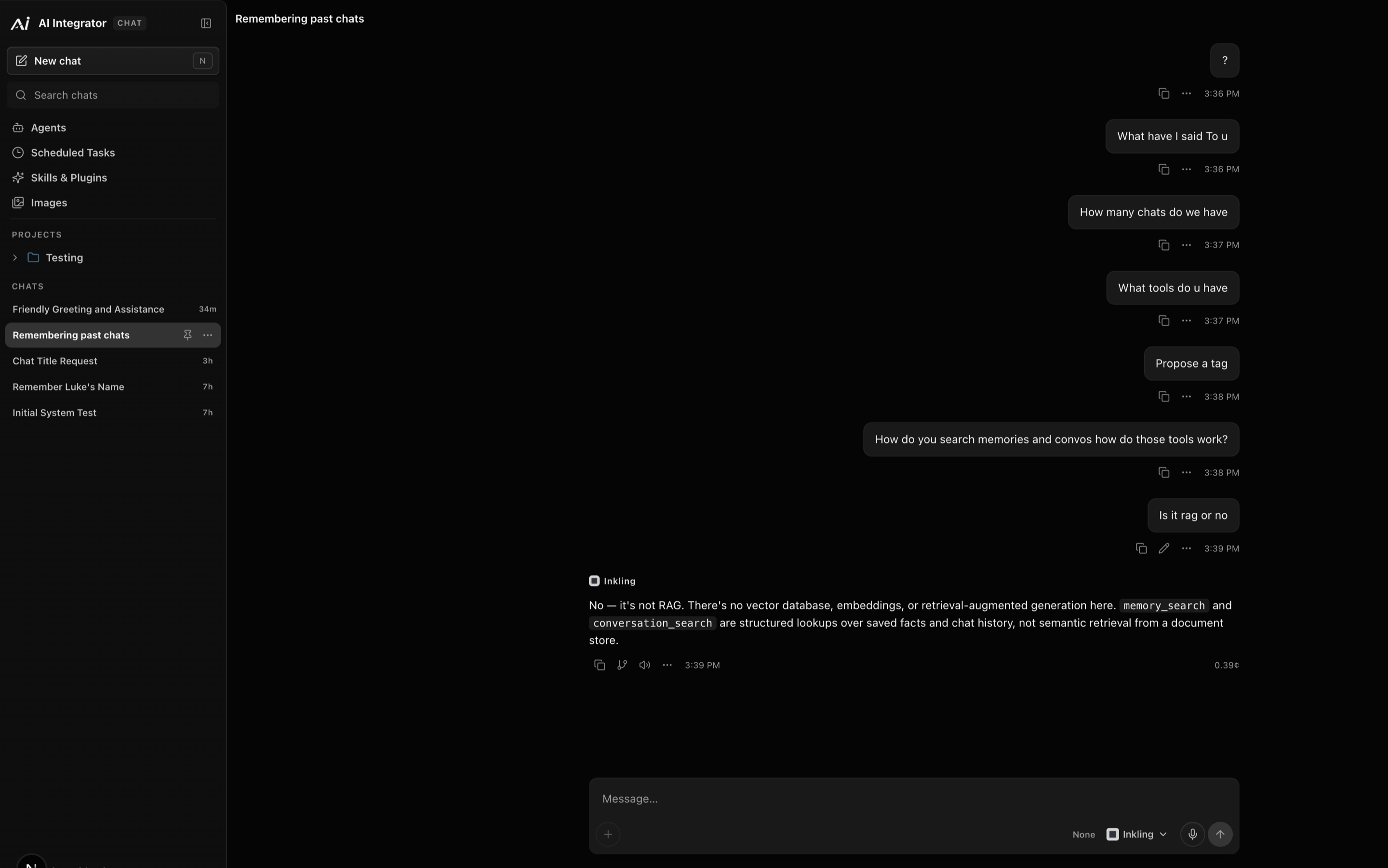
Chat can remember things about you between conversations, and you can see all of it. Settings has three switches, all on by default: Dynamic Memory, Use saved memories and Chat History Memory. A project can turn Dynamic Memory off for itself. Every remembered fact can be edited, verified or removed, and removing one asks "Forget this memory?" first. Chat History has a Wipe button.
Projects, files and voice
Group chats into projects, five on the free plan, 25 on Pro and 100 on Max. Attach files to a chat on any plan, up to 500 MB on Free. On Pro and Max there is also a Files library that is shared across your chats and devices, and Chat can search it. Voice in and out is on every plan.
What happens when your usage runs low
A few rules are worth knowing, because they are the kind of thing that surprises people.
- Chat reserves enough usage for one reply at a time, and an answer is capped at 16,384 tokens, thinking included. If your balance cannot fund that, the cap shrinks to what it can fund.
- It never switches to a different model without telling you.
- If a reply is cut off, you keep what was written, marked as interrupted.
Where your chats live
Your chats, projects, memory, files and settings are stored with your account, and each message also goes to the model provider you chose for it. Code is different. Your repositories, tasks and sign-ins stay on your computer and never pass through the account, as described in AI Integrator Code.
Plans
The free plan has Chat on every device with the standard models. Pro is $20 a month and adds every model, the Files library, notifications, and control of your computer from your iPhone or a browser. Max starts at $100 a month and has five or ten times Pro's usage. The iPhone app is in beta, and you can join it on TestFlight.