AI Integrator can now save what a model builds as an artifact: an interactive page that opens next to your chat, stays in Files, and keeps every version you ask for. Describe a Pomodoro timer, a 3D model of the solar system or a dashboard of your open issues, and the model writes the page and puts a card for it in its reply. Click the card and the page opens beside the conversation.
Artifacts work in Chat on the web and in the desktop app, in Code, and on iPhone. Anything you can write as one HTML page can be an artifact, such as a calculator, a flashcard deck, a game or a data explorer. Artifacts arrived in 0.3.1: Artifacts & AI Integrator in Code.
Asking for an artifact
Say what you want to use the page for. The prompts AI Integrator is tested with look like this:
- "Make me a pomodoro timer I can keep using: 25 minute focus and 5 minute breaks, start, pause and reset, and a count of finished sessions."
- "Build me a little 3D solar system I can save and come back to: the sun and the inner four planets orbiting, and I can drag to rotate the view."
- "Make me a page that keeps an eye on US unemployment and the 10-year yield."
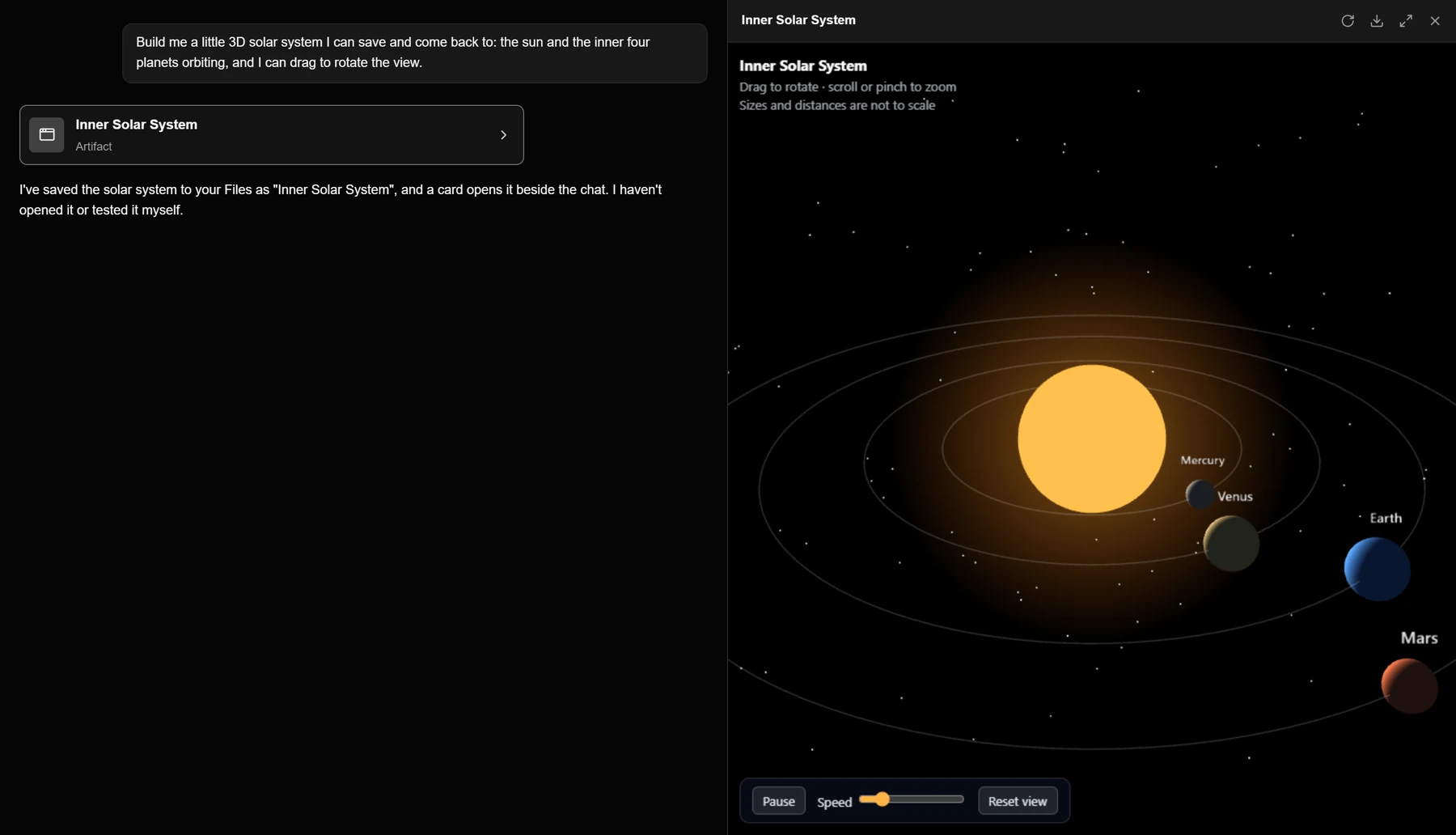
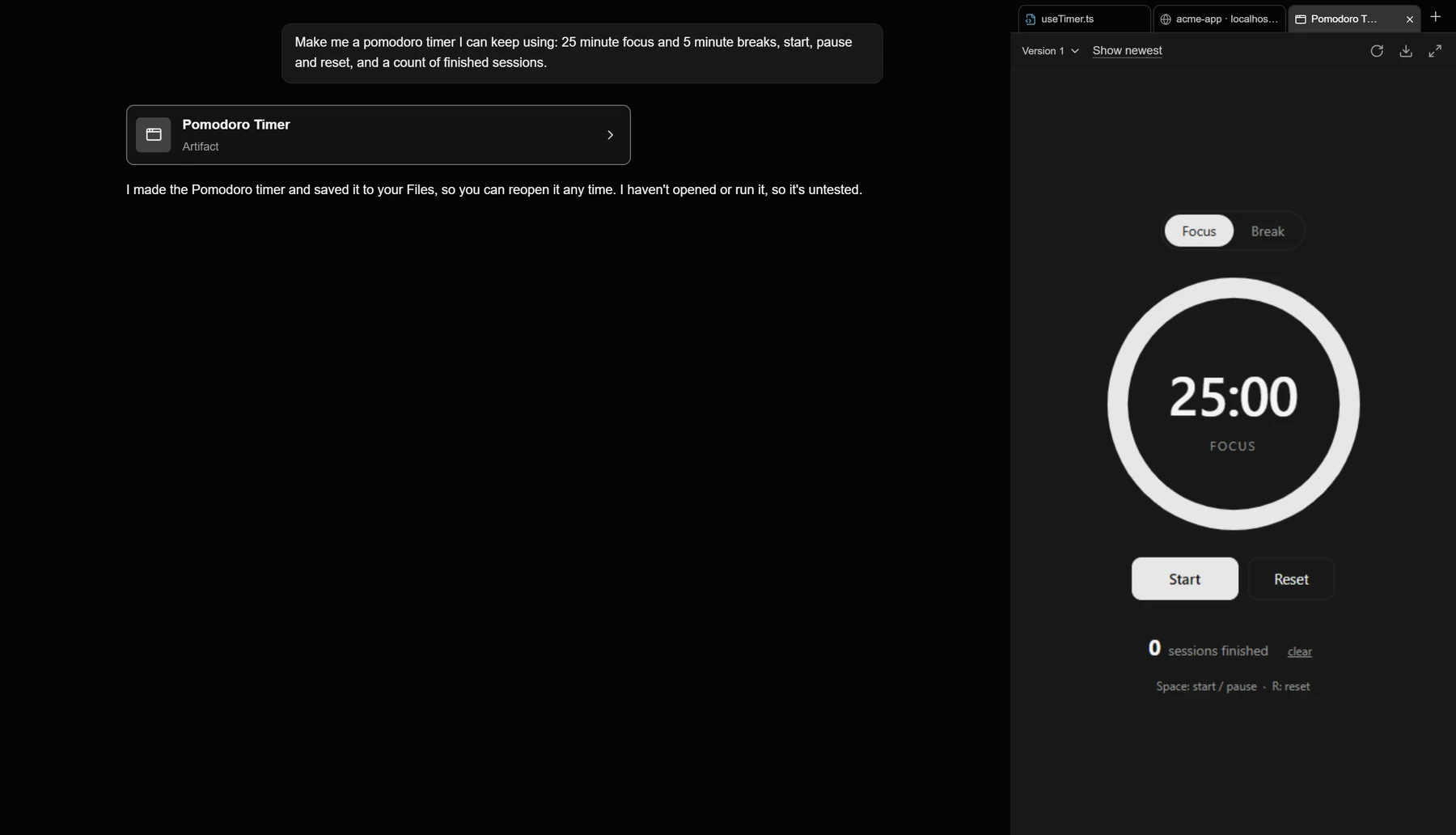
In Chat on the web and in the desktop app, the page opens in a panel on the right, and you can drag its edge to change the width. On a narrow window the panel covers the chat. In Code, the page opens as a tab in the work pane next to your files and browser pages, and it keeps running while you look at another tab. On iPhone it opens full screen over the chat, and a swipe from the left edge takes you back.
Changing an artifact
To change an artifact, ask for the change in the same chat. A request like "Make focus 50 minutes and breaks 10 minutes, and add a 20 minute long break after every 4 focus sessions" saves a new version and sends the card again, now marked Version 2. The version menu at the top of the panel opens any earlier version. AI Integrator keeps up to 30 versions of each artifact and drops the oldest first.
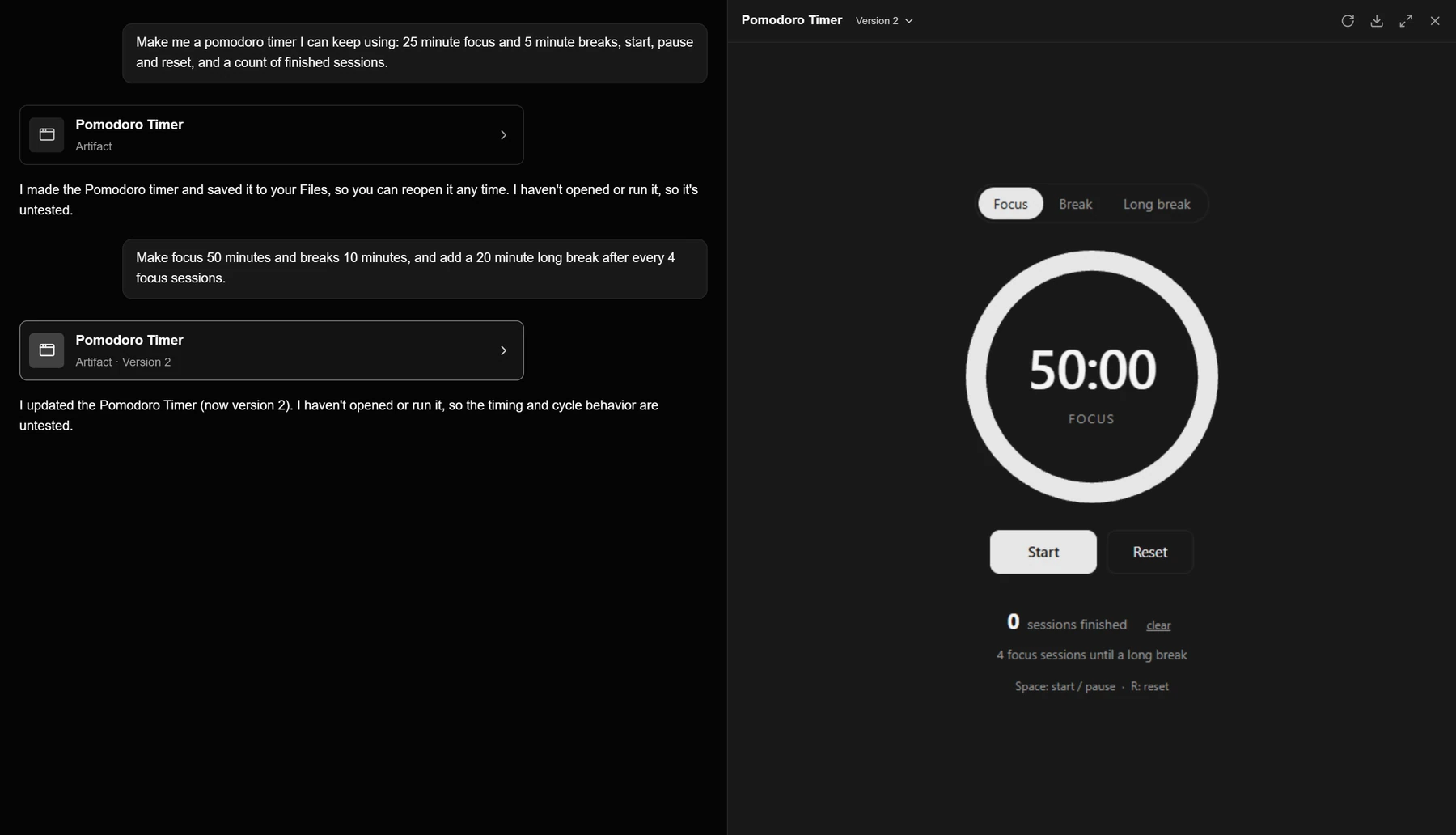
The model writes a page without running it, so a first version can have bugs. Tell the model what went wrong and it saves a fix as the next version.
Artifacts in Files and in Code
Every artifact is a file in AI Integrator Files, under Generated and then Artifacts, on every device you use. You can open one from Files or from the card in the chat that made it. Code uses the same tools, so a Code chat can build a small tool next to your project and leave it as a tab beside your code. Like any file, an artifact can be shared with a link or with people, as Share a chat or a file explains.
Reading live data
A page can read live data. When the model builds a page that needs data, it lists the tools the page will call, and the page asks for them while it runs. The page doesn't call a plugin itself. It asks AI Integrator, which checks that the tool is on the page's list and that the plugin marks the tool as read-only, then runs the tool with your sign-in and hands back the result.
- The page
- AI Integrator
- Your plugin
- The page to AI Integrator: Asks for my open issues
- AI Integrator to AI Integrator: Checks the page's tool list, and that the tool only reads
- AI Integrator to Your plugin: Reads as you
- Your plugin to AI Integrator: Issues
- AI Integrator to The page: Issues
Pages can read from the plugins you have connected, including servers you add yourself, and from public data: U.S. government sources such as FRED and the Census Bureau, and market prices from Yahoo Finance, Stooq and Alpha Vantage. A page can refresh on a timer, at most every 30 seconds, and it stops asking while it is hidden.
A page can only read. It can't send a message, create an issue or buy anything. If you want one of those done, ask the model in the chat, where your plugin permissions apply.
Inline pages
Not every page needs to be kept. For a diagram, an explainer or a small calculator that belongs to one answer, the model can draw an interactive page inside its reply. An inline page isn't saved, and it can't reach the network. If you decide to keep one, ask the model to make it an artifact.
Inline pages and artifacts come from the Interactive UI plugin, which is on by default. Skills & Plugins has a separate switch for each.
Limits
A page runs in a sandbox with no network access of its own, so it can't call an API or load a picture from another site. Scripts and styles can load from cdnjs, jsDelivr and unpkg, and a library has to name an exact version. A page can be up to about half a megabyte. Only you can open your artifacts.
Plans
Artifacts are saved in Files, which is part of Pro and Max. Inline pages don't need Files. A reply that makes an artifact counts toward your usage like any other message.